Keep your business number.
We can arrange number porting, subject to provider requirements. We coordinate the changeover with you.
 Free cost comparison
04 / BMS · CAPE TOWN & NATIONWIDE

Founded to bring cost efficiency to South African businesses. Get a phone solution built around your people, supported by the Visulink team.
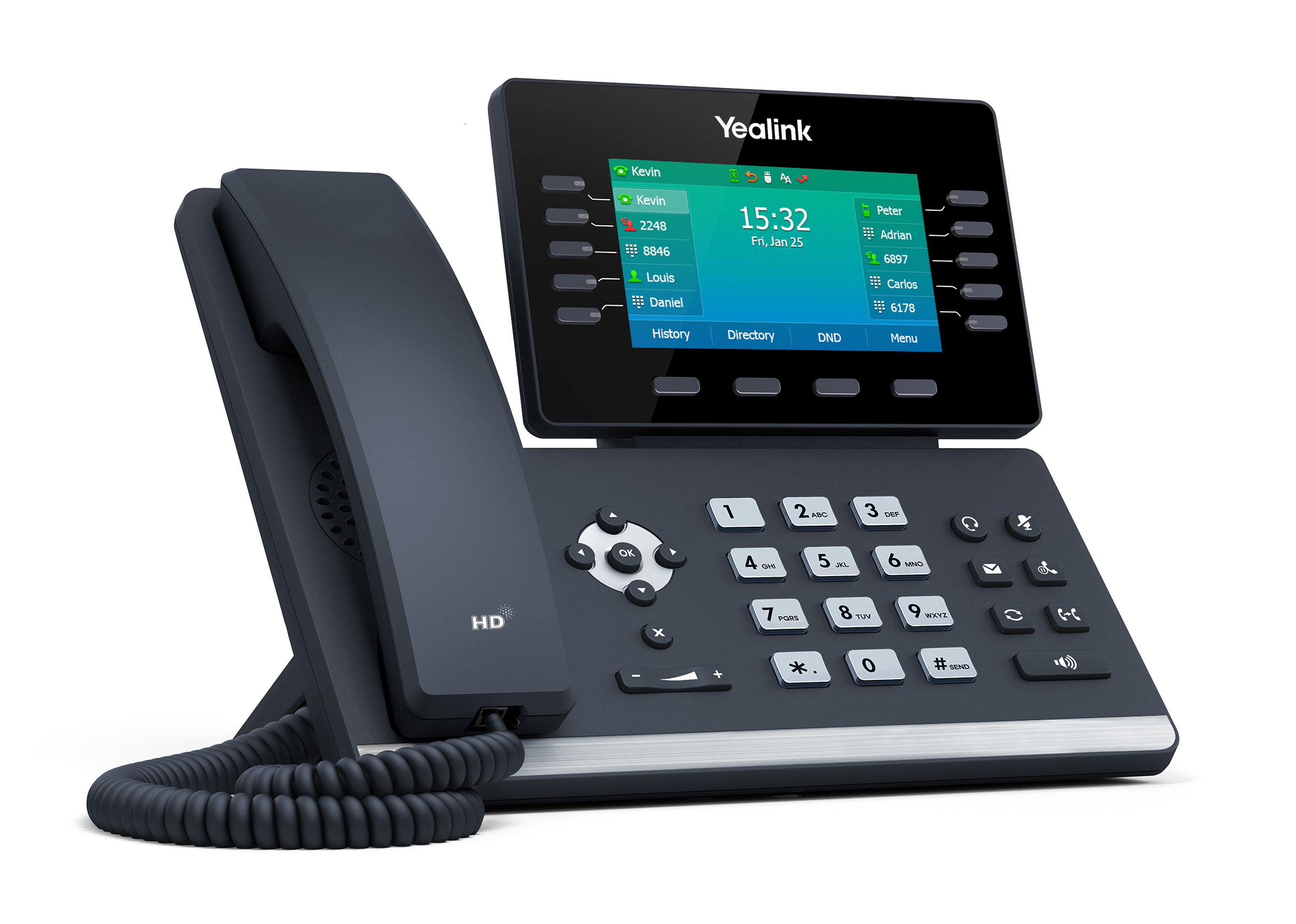
YEALINK / A DESK PHONE THAT FITS
The SIP-T54W is one example from the Yealink range: a desk phone with an adjustable colour display, built-in Bluetooth and Wi-Fi, and Gigabit Ethernet connectivity.
We select hardware around your users and BMS configuration. A receptionist, an office user and a mobile colleague may need different equipment and licences.
Yealink T54W product details ↗ DESK PHONES FOR YOUR BMS SYSTEM
We founded BMS (Business Mobile Solutions) to bring cost efficiency to South African businesses. Visulink brings your phone service, equipment, installation and dedicated support together.
We can arrange number porting, subject to provider requirements. We coordinate the changeover with you.
Desk phones and hosted extensions tailored to how your team handles calls, with mobile extensions where required.
Discuss call queues, auto-attendant menus, recording, voicemail-to-email and reporting.
For a comparison, email your current phone bill or quote to sales@vlink.co.za. Attach the document in your email app.
Need internet too? Explore Business Connectivity →
BUSINESS CALLING / BUILT AROUND YOUR TEAM
Our month-to-month phone services give your business flexibility. Tell us how many people take calls, where they work and your typical calling needs. We’ll recommend the service and desk phones, including trusted Yealink hardware, to suit your setup.
Prefer to own the physical equipment? Ask about a hardware contract. Your proposal explains the monthly service, call charges, equipment and installation, with support from the Visulink team.
Build my phone solution ↗
Grandstream Wave is the softphone app we offer with compatible Grandstream phone-system setups. Make and receive business calls through your extension on a mobile device or computer, so your working day can move beyond the desk.
Wave needs a compatible Grandstream UCM setup and an internet connection. Mobile app licensing and call charges are billed as part of your BMS service.
PLAN YOUR PHONE SYSTEM
A useful telephone proposal starts with how calls move through your business. We review your users, numbers, branches and current bill before recommending extensions and equipment.
Tell us who answers first, which teams need a ring group or queue, and where unanswered calls should go. We plan call routing around your working hours and customer experience.
Discuss desk phones, mobile access and branch calling as one system. Keep office and mobile users connected through their business extensions.
We separate extensions, calling, SIP services, hardware, mobile licences, installation and support where applicable. This makes it easier to compare your current bill with the proposed setup.
We review number porting, connectivity and any existing contract obligations before agreeing the move. Our team coordinates the setup and explains how to reach support afterwards.
Number porting is available subject to provider checks and the required documentation. Keep the existing service active until the port and changeover have been confirmed.
A recent itemised phone bill, the number of users and branches, your current contract status and a description of any service problems. Please omit passwords and other sensitive access details.
Printers, phones, CCTV, IT and fibre from one supplier. One contact. One support line.
Get a free cost comparisonPrices exclude VAT. Final pricing, availability and inclusions are confirmed in your written quote. T's & C's apply.