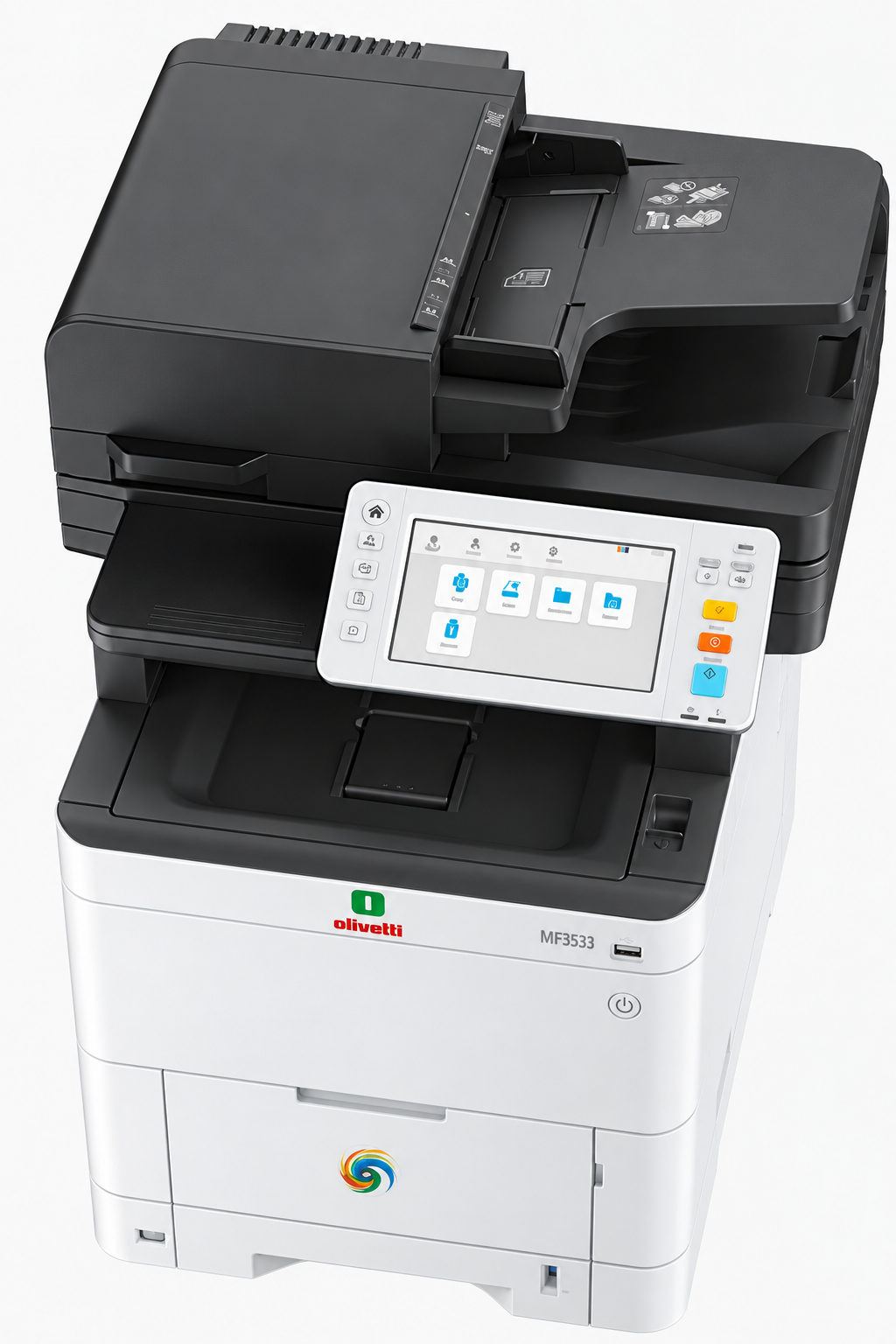
The MF3533 brings printing, copying and scanning together for teams working mainly with A4 documents. Our assessment connects the machine’s capabilities to the way your office works.
01
Colour for customer-facing work
Use colour for proposals, charts, quotations and presentation packs; print everyday text in mono on the same machine. We assess the balance of both when preparing your service proposal.
02
Scan double-sided documents
The single-pass duplex document feeder scans both sides of an original in one pass. This helps when digitising signed forms, accounts documents and multi-page records.
03
Simple operation
The 7-inch touchscreen provides access to everyday copy and scan functions. We discuss where scans need to go and which staff need access as part of the setup.
04
A4 or refurbished A3?
Choose the MF3533 for compact A4 work. If you need A3, ask about our selected refurbished Olivetti models and month-to-month options. The available model, condition and service terms are confirmed before you commit.
HOW COPIER RENTAL WORKS
The machine. The printing. The support.
A fixed monthly rental covers the machine. A cost per copy covers what you print under your service agreement.
Our printer service agreements cover call-outs, labour, preventative maintenance and remote assistance.
Rent or buy?
Consideration
Rent
Buy outright
Upfront cost
Spread the machine cost over monthly payments.
Pay for the machine upfront.
Maintenance
Pair your rental with a service agreement.
Arrange a separate service agreement or paid support.
Upgrades
Plan a review around your agreement and changing needs.
Choose when to replace or trade in the machine.
Cash flow
Predictable machine rental plus usage charges.
Larger initial payment, then running and service costs.
Tax treatment as a business expense
Ask your accountant how rental and service payments are treated for your agreement.
Ask your accountant how the asset and running costs are treated.
Ownership at the end
Depends on the agreement; ownership is not automatic.
You own the equipment after purchase.
Which machine do I need?
These are planning bands for your business, not manufacturer volume ratings. Your real print counts, peak periods and document sizes guide the final machine choice.
Small office
1–5 users · up to about 1,000 pages a month
Start with A4. Choose colour for customer-facing work or mono for mainly text.
Growing team
6–20 users · about 1,000–5,000 pages a month
Consider a shared A4 multifunction printer, or A3 if you produce plans, larger sheets or booklets.
Busy workgroup
20+ users · over about 5,000 pages a month
Assess capacity, scanning and peak queues. Choose A3 where document size requires it and colour or mono to suit your output.
Olivetti questions answered
Does the MF3533 print in colour and mono?+
Yes. It is an A4 colour multifunction printer for everyday printing, copying and scanning.
Can I print A3 on the MF3533?+
No. The MF3533 is an A4 machine. Ask us about our selected refurbished Olivetti A3 range for larger documents.
Do you offer month-to-month Olivetti rentals?+
Yes, for a selected range of refurbished A3 machines.
Why choose Olivetti for a small office?+
The MF3533 combines colour output, scanning and a compact A4 format for teams sharing one device.
Can I send you my current copier bill?+
Yes. Include the rental, mono and colour rates, print counts and contract end date.
Can you supply toner and maintain our machine?+
We offer consumables and printer service agreements. Share the model and serial number so we can help.
One supplier. One support team.
Printers, phones, CCTV, IT and fibre from one supplier. One contact. One support line.